
TypeMotion.Art
Guide · real product workflow

How to Animate Text Online

A practical workflow for making readable, polished text animation in the browser.

Open Online Text Animation Maker
Real MP4 exportA vertical talking-head caption9:16 · 24 FPS · Built in TypeMotion.Art
Open the real editor
01

Start with the communication job

Decide whether the text introduces, explains, emphasizes, or closes the video. The job determines the motion: an opener can be expressive, while captions should prioritize reading speed.
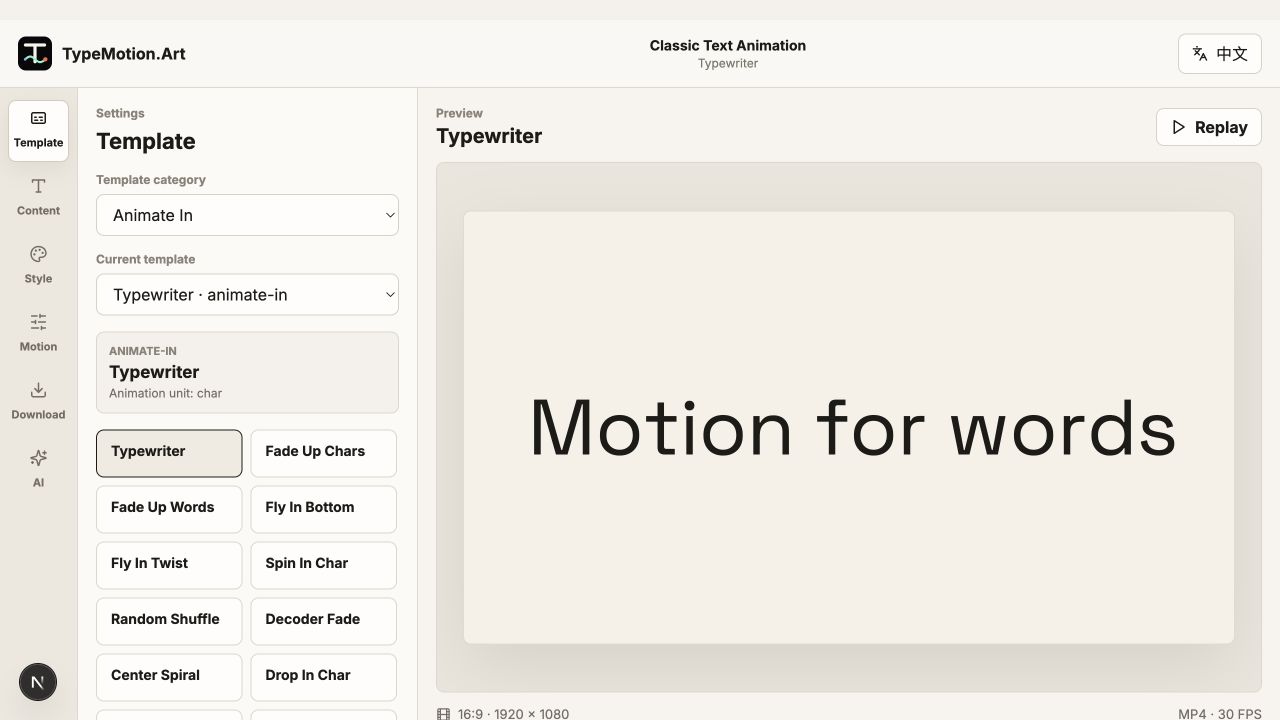
Start with the communication job shown in the TypeMotion.Art Text Animation editor
Actual product UITypewriterActual TypeMotion.Art editor screenshot
02

Choose motion that supports the words

Use typewriter and fade presets for explanation, scale and snap for emphasis, and tracking or rotation for display titles. Avoid stacking several strong effects on the same line.

Choose motion that supports the words shown in the TypeMotion.Art Text Animation editor
Actual product UIDecoder FadeActual TypeMotion.Art editor screenshot
03

Tune timing and hierarchy

Preview the full phrase, not isolated letters. Keep the main idea largest, stagger supporting text, and leave enough time after the entrance for viewers to read before the exit begins.

Tune timing and hierarchy shown in the TypeMotion.Art Kinetic Text editor
Actual product UIBold Text SnapActual TypeMotion.Art editor screenshot
Try it

Templates used in this guide

Each link opens the working SaaS editor rather than a decorative demo card.

Finished result

A real export built with this workflow

A vertical talking-head caption exported frame
Exported video frameA vertical talking-head caption9:16 · keyword-caption
Apply the workflow

Related use cases